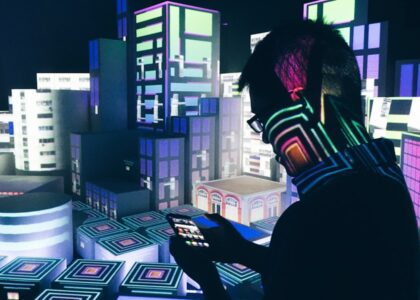

Zero-UI design represents a paradigm shift in how we interact with technology, moving away from traditional graphical user interfaces (GUIs) to a more intuitive, seamless experience. At its core, Zero-UI design eliminates the need for screens and buttons, allowing users to engage with devices through natural interactions such as voice, gestures, and even facial recognition. This approach is grounded in the belief that technology should be invisible, seamlessly integrating into our daily lives without the need for explicit commands or visual cues.
In my exploration of Zero-UI design, I have come to appreciate its potential to create a more organic interaction between humans and machines. By leveraging advanced technologies like artificial intelligence and machine learning, Zero-UI design anticipates user needs and responds accordingly. This means that instead of navigating through menus or tapping on icons, I can simply speak a command or make a gesture, and the device understands my intent.
This shift not only enhances convenience but also fosters a more natural relationship with technology, allowing me to focus on my tasks rather than the tools I use.
Key Takeaways
- Zero-UI design focuses on creating seamless and intuitive user experiences without the need for traditional graphical user interfaces.
- User interface design has evolved from physical buttons and dials to touchscreens and voice commands, leading to the emergence of Zero-UI design.
- The benefits of Zero-UI design include increased convenience, accessibility, and efficiency for users, as well as the potential for reducing user errors.
- Challenges in Zero-UI design include ensuring accessibility for all users, addressing privacy concerns, and designing for diverse user preferences and behaviors.
- Real-life examples of Zero-UI design include smart home devices, voice assistants, and autonomous vehicles, showcasing the potential for seamless and intuitive interactions in various contexts.
The Evolution of User Interface Design
The journey of user interface design has been nothing short of remarkable. In the early days of computing, interfaces were primarily text-based, requiring users to input commands through keyboards. As technology advanced, graphical user interfaces emerged, revolutionizing the way we interacted with computers.
Icons, windows, and menus became the norm, making it easier for users to navigate complex systems. I remember the excitement of using my first GUI, where I could click and drag files instead of memorizing commands. As mobile devices gained popularity, user interface design evolved once again.
Touchscreens introduced a new level of interactivity, allowing users to engage with their devices through taps and swipes. This shift brought about a more tactile experience, but it also led to an over-reliance on visual elements. I found myself constantly scrolling through apps and menus, often feeling overwhelmed by the sheer volume of information presented on my screen.
It was during this time that I began to see the limitations of traditional interfaces and became intrigued by the concept of Zero-UI design as a potential solution.
The Benefits of Zero-UI Design

One of the most significant benefits of Zero-UI design is its ability to enhance accessibility. By removing visual barriers and relying on natural interactions, this approach opens up technology to a broader audience, including those with disabilities. For instance, voice commands can empower individuals who may struggle with traditional input methods, allowing them to engage with devices in ways that were previously unimaginable.
I have witnessed firsthand how this inclusivity can transform lives, enabling people to access information and services that were once out of reach. Another advantage of Zero-UI design is its potential to streamline workflows and increase efficiency. By minimizing the need for manual input and navigation, I can accomplish tasks more quickly and intuitively.
For example, when using voice assistants to set reminders or control smart home devices, I find that I can multitask more effectively without being tethered to a screen. This efficiency not only saves time but also reduces cognitive load, allowing me to focus on what truly matters rather than getting bogged down by interface complexities.
Challenges and Considerations in Zero-UI Design
Despite its many advantages, Zero-UI design is not without its challenges. One significant concern is the reliance on technology that may not always understand context or nuance. While voice recognition has improved dramatically, there are still instances where my commands are misinterpreted or ignored altogether.
This can lead to frustration and a sense of disconnect between me and the device. As designers strive to create more intuitive systems, they must also consider how to address these limitations and ensure that users feel understood and supported. Another challenge lies in the potential for privacy concerns.
With devices constantly listening for voice commands or monitoring gestures, there is an inherent risk of data breaches or unauthorized access. As someone who values my privacy, I find it essential for companies to prioritize security measures when implementing Zero-UI design. Transparency about data usage and robust protection protocols are crucial in building trust with users like me who may be hesitant to embrace this new way of interacting with technology.
Examples of Zero-UI Design in Real Life
In my daily life, I have encountered several examples of Zero-UI design that have left a lasting impression on me. One standout instance is the use of smart speakers equipped with voice assistants like Amazon Alexa or Google Assistant. These devices allow me to control various aspects of my home environment simply by speaking commands.
Whether I’m adjusting the thermostat or playing music, the experience feels effortless and natural. The absence of a screen means I can engage with my smart speaker while cooking or working on other tasks without interruption. Another compelling example is the rise of gesture-based controls in devices such as smartphones and gaming consoles.
I recall being amazed by how I could navigate through menus on my smart TV using simple hand movements or even facial expressions. This level of interaction not only feels futuristic but also adds an element of fun to the experience. As I explore these technologies further, I am continually inspired by how Zero-UI design can transform mundane tasks into engaging interactions.
The Future of Zero-UI Design
Looking ahead, I am excited about the possibilities that lie within Zero-UI design as technology continues to evolve. With advancements in artificial intelligence and machine learning, I anticipate that devices will become even more adept at understanding context and anticipating user needs. Imagine a world where my smart home system learns my routines and preferences over time, adjusting settings automatically without requiring any input from me.
This level of personalization would not only enhance convenience but also create a deeper connection between me and my technology. Moreover, as augmented reality (AR) and virtual reality (VR) technologies mature, I foresee new opportunities for Zero-UI design to flourish. These immersive experiences could allow me to interact with digital content in entirely new ways, blurring the lines between the physical and digital worlds.
For instance, envisioning a scenario where I can manipulate virtual objects with my hands while receiving real-time feedback from my environment is both thrilling and inspiring. The future of Zero-UI design holds immense potential for creating richer, more engaging experiences that resonate with users on multiple levels.
How Zero-UI Design Impacts User Experience
The impact of Zero-UI design on user experience cannot be overstated. By prioritizing natural interactions over traditional interfaces, this approach fosters a sense of fluidity and ease in how I engage with technology. The elimination of visual clutter allows me to focus on my tasks without being distracted by unnecessary elements on a screen.
This streamlined experience not only enhances productivity but also contributes to a more enjoyable interaction overall. Furthermore, Zero-UI design encourages a deeper emotional connection between users and their devices. When technology responds intuitively to my commands or gestures, it creates a sense of companionship rather than mere functionality.
I find myself forming attachments to devices that understand my preferences and adapt to my needs over time. This emotional resonance is crucial in an age where technology often feels impersonal; Zero-UI design has the potential to bridge that gap and create meaningful relationships between users and their devices.
Implementing Zero-UI Design in Your Business
For businesses looking to embrace Zero-UI design, there are several key considerations to keep in mind. First and foremost, understanding your target audience is essential. By identifying their needs and preferences, you can tailor your Zero-UI solutions to create meaningful interactions that resonate with users like me.
Conducting user research and gathering feedback will provide valuable insights into how your audience engages with technology. Additionally, investing in robust technology infrastructure is crucial for successful implementation. As I have learned from my experiences with various devices, seamless integration between hardware and software is vital for delivering a smooth user experience.
Collaborating with skilled designers and developers who understand the nuances of Zero-UI design will help ensure that your solutions are both functional and intuitive. In conclusion, Zero-UI design represents a transformative approach to user interaction that prioritizes natural engagement over traditional interfaces. As I reflect on its evolution, benefits, challenges, real-life examples, future potential, impact on user experience, and implementation strategies, I am filled with optimism about what lies ahead.
By embracing this innovative design philosophy, businesses can create meaningful connections with their users while enhancing accessibility and efficiency in an increasingly digital world.
FAQs
What is Zero-UI Design?
Zero-UI design refers to the concept of creating user interfaces that are so seamless and intuitive that they become almost invisible to the user. This design approach aims to minimize the need for traditional graphical user interfaces and instead relies on natural interactions and automation.
What are the key principles of Zero-UI Design?
The key principles of Zero-UI design include simplicity, automation, natural interaction, and context awareness. The goal is to create interfaces that require minimal user input and are able to anticipate and fulfill user needs without explicit commands.
How does Zero-UI Design impact user experience?
Zero-UI design aims to enhance user experience by reducing cognitive load, streamlining interactions, and providing a more intuitive and seamless user interface. By minimizing the need for explicit user input, Zero-UI design can make interactions with technology more efficient and natural.
What are some examples of Zero-UI Design in practice?
Examples of Zero-UI design in practice include voice-activated assistants like Amazon’s Alexa and Apple’s Siri, smart home devices that adjust settings based on user behavior, and predictive text input on mobile devices. These technologies aim to anticipate and fulfill user needs without requiring explicit input.
What are the potential benefits of Zero-UI Design?
The potential benefits of Zero-UI design include improved user productivity, reduced user frustration, and a more seamless integration of technology into daily life. By minimizing the need for explicit user input, Zero-UI design can make interactions with technology more efficient and natural.